Latest Post
Tampilkan postingan dengan label images. Tampilkan semua postingan

Ajax Image Upload and Resize with PHP and Jquery

Written By Unknown on Senin, 26 Agustus 2013 | 08.54

Sometimes, it’s better to create your own stuff,  than to rely on some complicated Image Gallery with additional functions which you may not even need. This is a very useful combination of jQuery and PHP script to upload and resize image file without refreshing the page, which means we will be using Ajax to send and request data from server. The script should run out of the box, but it can be modified and extended to suite your needs. 

To read more about this article Click Here

For Demo Click Here

To download files Click Here

Multiple Image Upload without Refreshing Page using Ajax and jQuery

Written By Unknown on Minggu, 11 Agustus 2013 | 09.06

Today I am presenting the most important social networking feature called multiple ajax image upload without refreshing the page using jquery and PHP. We just modified few lines of code injqery.form.js plugin and renamed that to jquery.wallform.js.

To read more about this article Click Here

For Demo Click Here

To download files Click Here

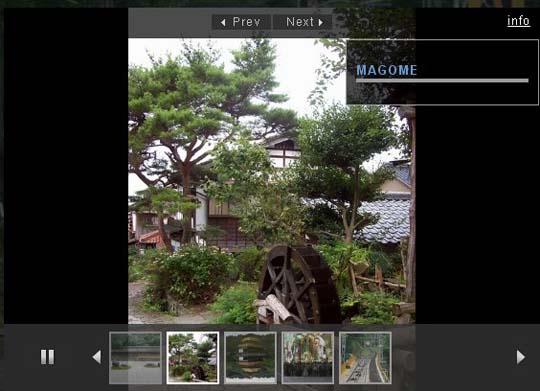
JQuery Image Gallery with Captions and Auto Play/Pause Rotation

Written By Unknown on Minggu, 14 Oktober 2012 | 10.36

Today, again I created an awesome jquery gallery which is transparent, fixed on screen, autoplay on/off buttons and css3 stylized gallery. I used simple jQuery functions and make them more clear by commenting the code and making them parametrized. I hope you can customized it easily but I would prefer you if you use it as it is with changing images.

I really like this one and I hope you will like it. If you feel any problem in using it please do post your issue in comments area and I will reply you ASAP.

To read more about this article Click Here

For Demo Click Here 

To Download source files Click Here

JQuery Based Flipped Image Gallery with Bounce Effects

Written By Unknown on Kamis, 06 September 2012 | 09.37

Image galleries are most important element of any website. Here, I have created a simple jQuery based flipped image gallery. On hover the images will expand. Its simple and stylish gallery. 


To read more about this article Click Here

For Demo Click Here

To Download Files Click Here

Automatically Generate a Photo Gallery from a Directory of Images

Written By Unknown on Rabu, 22 Agustus 2012 | 09.01

Two years ago Chris Coyier wrote an outstanding tutorial detailing how you can generate a photo gallery based on the images within two directories: a thumbnails directory and an originals directory. I've decided to take his tutorial a step further by showing you how to generate thumbnails for the gallery using PHP. 
 
I've also implemented a MooTools lightbox: Smoothbox. The following code will show you how to create a beautiful photo gallery by simply dumping your photos in a directory.

To read more about this article Click Here

For Demo Click Here


Php and jQuery image upload and crop

Written By Unknown on Jumat, 03 Agustus 2012 | 08.57

We needed a PHP and jQuery image upload and crop tool and came up with the following.
Before you start, ensure you have the following:
  • PHP 4 or Higher (It has been tested on Version 5)
  • Safe mode must be off! – A number of users have reported issues when safe mode is on.
  • PHP GD Library
  • jQuery ver 1.2.3 or Higher
  • Image Area Select plugin by Michal Wojciechowski
To read more about this article Click Here

For Demo Click Here

Click Here to download


FoxyComplete : Advanced autocomplete search with images

Written By Unknown on Kamis, 05 Juli 2012 | 10.30

Today I am going to share a trendy functionality which I have been implementing in my projects for a while now. I call it “FoxyComplete” and what is does is fetch clickable search results along with images either automatically scraped from the result’s content or a specified file. It’s easy to implement and once done, easy to tweak.


To read more about this article Click Here

For Demo Click Here


Awesome jQuery Mobile Image Gallery Web App

Written By Unknown on Rabu, 04 Juli 2012 | 08.42

With more and more users browsing the web with a mobile device, it’s time to begin with mobile web development. In this tutorial we are going to develop a simple mobile image gallery using the amazing jQTouch jQuery plugin for mobile web development. jQTouch is a jQuery plugin with native animations, automatic navigation, and themes for mobile WebKit browsers like iPhone, iPod Touch, G1, and Pre.
 
Our little application is going to show some albums in a list view which will reveal a wall of thumbnails once it’s clicked. When a thumbnail is clicked, we get to the full image view where we can navigate through all the photos by either clicking on the navigation buttons or swiping over the image.we will be using PHP to automatically generate albums with PHP from the folder structure.

To read more about this article Click Here

For Demo Click Here


Create an Infinite Scrolling Gallery with jQuery,PHP,Ajax

Written By Unknown on Rabu, 20 Juni 2012 | 09.04

Pagination is a technique used to break large data sets into small blocks in order to reduce the server load. We used to create pagination buttons with page numbers and next/previous links. Now pagination has gained a new perspective with infinite scrolling.


Infinite scrolling is where you can keep scrolling and data will keep coming until all the data is displayed. In this technique, the first set of data will be displayed initially. Once you scroll to the end of the window the next page of data will be generated and so on. No pagination buttons are required and you get the data on demand. Let’s see how we can create infinite scrolling.

To read more about this article Click Here

For Demo Click Here


Interactive Image Vamp up with jQuery, CSS3 and PHP

Written By Unknown on Senin, 26 Maret 2012 | 10.17

Today we will show you how to create an online application for giving some funny touches to an image. We will be using jQuery and jQuery UI for dragging and resizing little bling elements like mustaches and glasses. With PHP the image and the bling elements will get merged and the end result can be viewed.


To read more about this article Click Here

For Demo Click Here


Adaptive Images with php and javascript

Written By Unknown on Rabu, 22 Februari 2012 | 08.07


Adaptive Images detects your visitor’s screen size and automatically creates, caches, and delivers device appropriate re-scaled versions of your web page’s embeded HTML images. No mark-up changes needed. It is intended for use with Responsive Designs and to be combined with Fluid Image techniques.Features:
  • Works on your existing site
  • Requires no mark-up changes
  • Device agnostic
  • Mobile-first philosophy
  • Easy & powerful customisations
  • Up and running within minutes
To know more details about this, Please CLICK HERE

Create a fading magnifying glass overlay on image hover with jQuery and CSS3

Written By Unknown on Selasa, 04 Oktober 2011 | 11.13

A common method for setting up a quick image gallery on a website is to have small thumnbnail images which when clicked on pop open larger versions of the image (using a script like Fancybox). It’s a good idea to have some sort of effect on the smaller thumbnail images when they are hovered over to make it more user friendly (in the same way you might change the color of a text link when hovered over).


One simple method is to put a colored border around the image with CSS and change the color of the border when hovered over. Another more exciting option is to apply a background shadow behind the image with CSS3 when hovered over. I’ve used both of these methods on multiple websites, but wanted a more exciting solution.


The Idea

What I decided to create was a transparent image overlay when hovered on. So when you hover over the image you would see a magnifying glass icon over a transparent black background. This would make it easy for the user to see where they are on the page. Another reason this method is better than simply changing the border color is that the magnifying glass gives an indication that the image will zoom in or expand when clicked on. I’ve create two ways of accomplishing this effect, one used jQuery, and the other uses only CSS3.

The Solution


Both methods use similar techniques, the only difference is weather they use jQuery or CSS for fading the opcaity. There is an image wrapped in a link. Inside of this link there is a span element. By setting the span to dispaly block, setting the width and height of the span, and setting a higher z-index than the image; the span element covers the image. 

By setting the background image and color the span element hides the original image. Setting the opacity to zero on the span element allows the thumbnail image to be seen. To create the overlay effect we simply change the opacity of the span element to 70% (or whatever you want to use for your project). One method uses jQuery to apply this opacity, the other method uses CSS3 transitions and opacity settings.


jQuery Method

The jQuery method is cross browser safe, and unlike the CSS3 method fades the magnifying glass both in AND out. This method uses jQuery to set the opacity of the span element when hovered over. Here is the HTML for this method:

<a class="image" href="#">
<span class="roll" ></span>
<img class="imgborder" alt="" src="images/pic.jpg">
</a>
 
Here is the CSS for this method:
 
span.roll {
background:url(images/mag.png) center center no-repeat #000;
height: 346px; position: absolute; width: 347px;
-moz-box-sh
z-index: 10; -webkit-box-shadow: 0px 0px 4px #000 ;adow: 0px 0px 4px #000; box-shadow: 0px 0px 4px #000;
}
And the jQuery:
 
$(function() {
// OPACITY OF BUTTON SET TO 0%
$(".roll").css("opacity","0");
er(function () {
// ON MOUSE OVER $(".roll").ho v // SET OPACITY TO 70%
opacity: .7 }, "slow");
$(this).stop().animate( { }, // ON MOUSE OUT function () {
stop().animate({ opacity:
// SET OPACITY BACK TO 50% $(this) .0 }, "slow"); });
});

CSS3 Method

With the increasing support for CSS3 in modern browsers I just had to try this method using CSS3 opacity and transitions. Here’s the HTML for the CSS (no javascript used) method:
<a class="image"  href="#">
<span class="rollover" ></span>
<img class="imgborder" alt="" src="images/pic2.jpg">
</a>
Here’s the CSS, where all the magic happens:
 
span.rollover {
opacity: 1;
n-duration: 1s; -moz-transi
-o-transiti otion-duration: 1s;
-webkit-transform 1s; background:url(ima
-webkit-transition :ges/mag.png) center center no-repeat #000; cursor: pointer;
10; opacity: 0
height: 346px; width: 347px; position: absolute; z-index: ; } span.rollover:hover { opacity: .7; -o-transition-duration: 1s;
1s; -webkit-box-shadow: 0px 0
-moz-transition-duration: 1s; -webkit-transition: -webkit-transform px 4px #000; -moz-box-shadow: 0px 0px 4px #000; box-shadow: 0px 0px 4px #000;
}

Automatically Generate a Photo Gallery from a Directory of Images

Written By Unknown on Selasa, 26 April 2011 | 10.28

Two years ago Chris Coyier wrote an outstanding tutorial detailing how you can generate a photo gallery based on the images within two directories: a thumbnails directory and an originals directory. I've decided to take his tutorial a step further by showing you how to generate thumbnails for the gallery using PHP. 


I've also implemented a MooTools lightbox: Smoothbox. The following code will show you how to create a beautiful photo gallery by simply dumping your photos in a directory.


The CSS


.clear { clear:both; }
.photo-link { padding:5px; margin:5px; border:1px solid #ccc; display:block; width:200px; float:left; }
.photo-link:hover { border-color:#999; }

The images/links will be floated next to each other. The other option would be to use a table. 

The PHP: Utility Functions


/* function:  generates thumbnail */
function make_thumb($src,$dest,$desired_width) {
  /* read the source image */
  $source_image = imagecreatefromjpeg($src);
  $width = imagesx($source_image);
  $height = imagesy($source_image);
  /* find the "desired height" of this thumbnail, relative to the desired width  */
  $desired_height = floor($height*($desired_width/$width));
  /* create a new, "virtual" image */
  $virtual_image = imagecreatetruecolor($desired_width,$desired_height);
  /* copy source image at a resized size */
  imagecopyresized($virtual_image,$source_image,0,0,0,0,$desired_width,$desired_height,$width,$height);
  /* create the physical thumbnail image to its destination */
  imagejpeg($virtual_image,$dest);
}

/* function:  returns files from dir */
function get_files($images_dir,$exts = array('jpg')) {
  $files = array();
  if($handle = opendir($images_dir)) {
    while(false !== ($file = readdir($handle))) {
      $extension = strtolower(get_file_extension($file));
      if($extension && in_array($extension,$exts)) {
        $files[] = $file;
      }
    }
    closedir($handle);
  }
  return $files;
}

/* function:  returns a file's extension */
function get_file_extension($file_name) {
  return substr(strrchr($file_name,'.'),1);
}

We'll use three utility functions to make the system work: get_files (retrieves all of the files in a given directory), get_file_extension, and make_thumb (generates a thumbnail image from a source image). These are good functions to keep at hand for other purposes too.

The PHP: Setting and HTML Generation


/** settings **/
$images_dir = 'preload-images/';
$thumbs_dir = 'preload-images-thumbs/';
$thumbs_width = 200;
$images_per_row = 3;

/** generate photo gallery **/
$image_files = get_files($images_dir);
if(count($image_files)) {
  $index = 0;
  foreach($image_files as $index=>$file) {
    $index++;
    $thumbnail_image = $thumbs_dir.$file;
    if(!file_exists($thumbnail_image)) {
      $extension = get_file_extension($thumbnail_image);
      if($extension) {
        make_thumb($images_dir.$file,$thumbnail_image,$thumbs_width);
      }
    }
    echo '<a href="',$images_dir.$file,'" class="photo-link smoothbox" rel="gallery"><img src="',$thumbnail_image,'" /></a>';
    if($index % $images_per_row == 0) { echo '<div class="clear"></div>'; }
  }
  echo '<div class="clear"></div>';
}
else {
  echo '<p>There are no images in this gallery.</p>';
}


The first step is to define a few simple settings which will dictate image paths, the width by which all thumbnails will be created, and the number of images per row. The action begins with rounding up all of the files. With every image in the gallery, we check to see if a thumbnail exists. If a thumbnail doesn't exist, we use PHP and the utility function above to generate one. When the thumbnail is generated (or there was one there in the first place), we output the HTML link/image. I've given the A element the "smoothbox" CSS class so that Smoothbox will make the larger image display in the lightbox.

10 Fresh jQuery Image Gallery/Slider Plugins and Tutorials Worth a Look

Written By Unknown on Rabu, 02 Maret 2011 | 09.50


In the last few years jquery image sliders and jQuery image galleries become very popular in blogs and especially in portfolio sites.One of the easiest solution to attract your visitors and to show your potential clients your portfolio is the image sliders and image galleries.


Today we bring together jQuery image sliders and galleries which are released in the last few months or updated recently.
More Image Sliders and Galleries With jQuery
  

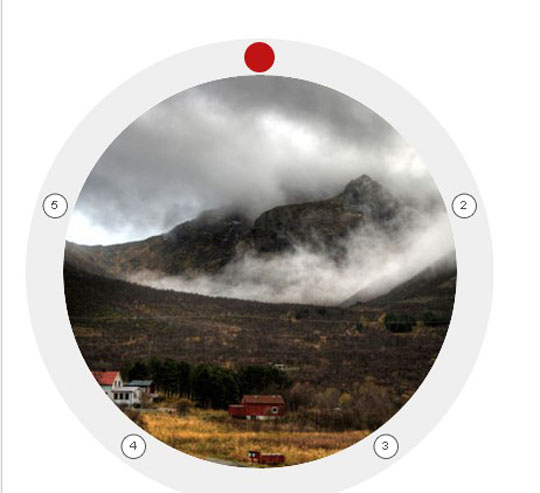
Circular Image Galleries With jQuery
Display your images or items around a shape like a circle or an ellipse.

JQuery Image Gallery with Captions and Auto Play/Pause Rotation

An awesome jquery gallery which is transparent, fixed on screen, autoplay on/off buttons and css3 stylized gallery.


JQuery Based Flipped Image Gallery with Bounce Effects

A simple jQuery based flipped image gallery. On hover the images will expand.


Tiny Circle Slider

Tiny Circleslider is a circular slider / carousel.Tiny Circleslider can blend in on any web page.


Awesome Scrolling Navigation using jQuery

The main thing flipboard do differently is to have the logo and logo background elements move at different animation speeds from each other and the main content


Rotating Image Slideshow w/ CSS3 and jQuery

You can use it to spice up your web sites, product pages and other projects with some CSS3 magic.


A Flickr-powered Slideshow

A jQuery plugin that will make it easy to create slideshows, product guides or presentations from your Flickr photo sets. The plugin will be using Flickr’s APIs and YQL to fetch the photos in the sets, after which it will create the markup of the slideshow and listen for events.


Awesome jQuery Image Gallery Plugin(Thumbox)

Browse the images via mini-gallery.Display images description.Effects for input and output images.Keyboard navigation.Navigation with the mouse wheel.


jbgallery 3.0(Big Multiple Images Slideshow With JQuery)

jbgallery is a UI widget webpage written in javascript on top of the jQuery library.Its function is to show a single big image, multiple images, multiple galleries, slideshows, as a site’s background, in a “dialog” mode or as a common pop-up.


Lightweight Thumbnails Image Gallery

Galleria is a JavaScript image gallery framework built on top of the jQuery library. The aim is to simplify the process of creating professional image galleries for the web and mobile devices


Support : Creating Website | Johny Template | Mas Template
Copyright © 2011. Kumpulan Kata Broadcast Blackberry - All Rights Reserved
Template Created by Creating Website Published by Mas Template
Proudly powered by Blogger